Crash Landing 3D - Airplane Game
Game Overview
Can You Land This Plane—Without Turning It Into Scrap Metal?
Hold onto your yoke—Crash Landing 3D - Airplane Game isn’t just another flight sim. It’s a high-stakes, physics-driven adrenaline rush wrapped in vibrant 3D visuals and built for players who crave real pilot tension—not just smooth cruising. Forget autopilot fantasies: here, every descent is a negotiation between gravity, momentum, and your reflexes.
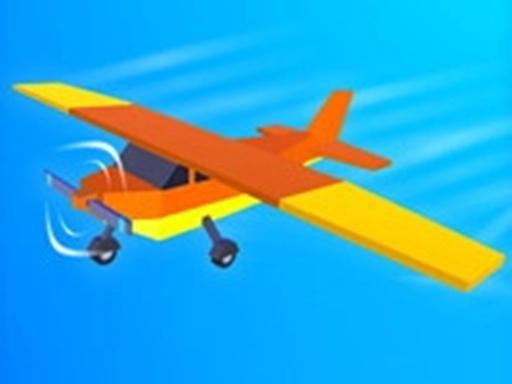
Crash Landing 3D - Airplane Game plunges you into the cockpit of a responsive, stylized aircraft soaring above dynamic cityscapes and open skies. But this isn’t about sightseeing—it’s about precision under pressure. You’re not just flying; you’re navigating tight aerial gauntlets, threading through floating rings at breakneck speed, executing barrel rolls and nosedives, and—most critically—executing controlled crash landings that walk the razor’s edge between triumph and total wreckage. The “crash landing” in the title isn’t irony—it’s the core challenge, the satisfying payoff, and sometimes, the hilarious consequence of one mistimed flare.
Moment-to-moment, gameplay is tactile and immediate: tap or click to pitch up or down, adjust throttle on the fly, and time your pull-ups with split-second accuracy. Each mission layers new variables—shifting wind zones, narrow urban canyons, moving targets, and degrading aircraft stability—that force rapid adaptation. Success hinges less on memorization and more on instinctive spatial awareness and graceful recovery from near-misses.
- Thrilling Ring Navigation: Weave through airborne hoops mid-flight—each successful pass boosts speed and unlocks harder courses.
- Dynamic Crash Landing Mechanics: Master the delicate art of touchdown: too fast? Explosion. Too soft? Stalled momentum. Just right? Pure satisfaction.
- Vibrant 3D City Environments: Soar past gleaming skyscrapers, bridge arches, and sun-drenched coastlines—all rendered with crisp, kid-friendly clarity.
- Progressive Stunt Challenges: From basic loops to multi-axis corkscrews, the stunt roster evolves alongside your growing confidence.
- Kid-Optimized Controls & Pacing: Designed for intuitive taps and clicks—no complex key combos, just clean, responsive input that rewards practice, not prior expertise.
If you’ve ever dreamed of piloting with heart-in-throat intensity—or if you’re a young player discovering the joy of cause-and-effect mastery in a safe, colorful world—Crash Landing 3D - Airplane Game delivers bite-sized, repeatable thrills with surprising depth. It’s equal parts arcade energy and subtle skill-building, where every attempt teaches something new—and every successful landing feels like earning your wings.
Dive into Crash Landing 3D - Airplane Game now and discover how much fun controlled chaos in the sky can really be!
How to Play
How to Play Crash Landing 3D - Airplane Game: Your Complete First-Time Guide
Crash Landing 3D is designed for instant engagement—no prior flying experience needed. From your very first tap, you’ll be gliding through vibrant 3D skies, navigating challenges, and building confidence with every smooth maneuver. This guide walks you through exactly what to do, when to do it, and why it works—so you can focus on the fun, not the confusion.
1. Your Mission: The Objective
Your immediate goal is to safely guide your aircraft through a series of floating rings scattered across dynamic cityscapes and open skies—completing each ring triggers progress, unlocks new stunts, and builds your score. Every successful pass strengthens your control, and every completed sequence brings you closer to mastering the pilot’s role.
2. Taking Command: The Controls
Disclaimer: These are the standard controls for this type of game on mobile. The actual controls may be slightly different.
| Action / Purpose | Key(s) / Gesture |
|---|---|
| Main Movement | Tap or click and hold left side of screen to bank left; right side to bank right |
| Primary Action (e.g., Boost, Stabilize, Confirm Landing) | Tap or click center-bottom area to engage gentle descent or stabilize altitude |
| Secondary Action (e.g., Perform Stunt, Activate Assist) | Double-tap anywhere to trigger a quick barrel roll or auto-correct orientation |
3. Reading the Battlefield: Your Screen (HUD)
- Altitude Indicator (Top-Left): A vertical bar showing current height above ground. Staying too low risks collision with buildings; too high makes ring alignment harder—aim for the mid-zone during maneuvers.
- Ring Progress Counter (Top-Center): Displays “X/Y” — how many rings you’ve passed out of the total in this level. Completing all unlocks the next challenge and awards a landing bonus.
- Stunt Meter (Bottom-Right): Fills as you perform smooth turns, near-misses, or precise ring passes. When full, it enables one free stunt replay or camera reset—great for recovering from wobbles.
4. The Rules of the World: Core Mechanics
- Ring Navigation Rule: “If you pass cleanly through the center of a ring, you earn points and the ring pulses green. If you clip the edge, it flashes yellow and slows your plane briefly—so aim for the center, not just ‘through’.”
- Gravity & Momentum System: “Your plane doesn’t stop instantly when you release input—it coasts and tilts gradually. To line up for tight ring sequences, start turning before the ring, not at it. Think like steering a bike, not clicking a button.”
- City Obstacle Behavior: “Buildings and towers don’t move, but their placement changes per level—and some have wind gusts (shown by subtle particle swirls) that push your plane sideways. Watch for those swirls and adjust your tap duration accordingly.”
Who Should Play
Players who enjoy quick, reactive arcade-style challenges—especially those drawn to physics-based stunts and immediate cause-and-effect feedback—will likely find Crash Landing 3D - Airplane Game engaging. Its tap/click controls and emphasis on timing loops (like flying through rings or executing sharp maneuvers) suit fans of casual 3D action and light simulation hybrids. Those who appreciate visual variety, urban backdrops, and a sense of aerial freedom without deep realism may also connect with it. However, players seeking authentic flight mechanics, narrative depth, or strategic progression will likely feel under-served—the game prioritizes rhythm and repetition over complexity or immersion. It’s best for those wanting brief, energetic bursts of airborne play rather than sustained simulation or story-driven adventure.
Why Play Here
The Definitive Crash Landing 3D - Airplane Game Experience: Why You Belong Here
We don’t believe gaming should be a series of compromises—waiting, wondering, worrying. We believe it should feel like coming home: immediate, honest, safe, and deeply respectful of who you are and how you choose to play. That’s not a slogan. It’s the operating system of our platform. And Crash Landing 3D - Airplane Game isn’t just another title in our library—it’s a living proof point of what happens when every layer of friction is stripped away, leaving only the thrill of flight, the pulse of challenge, and the quiet pride of mastery.
1. Reclaim Your Time: The Joy of Instant Play
Your attention is sacred. Your curiosity shouldn’t be held hostage by loading screens, installers, or permission prompts. When the urge to soar hits—when you want to tilt into a barrel roll over a sunlit city skyline or thread your plane through a narrow ring mid-air—you deserve to be there, not wait for it. That’s why every game on our platform, including Crash Landing 3D - Airplane Game, runs natively in your browser—no download, no installation, no redirects. Just Tap or click, and you’re airborne. This is our promise: when you want to play Crash Landing 3D - Airplane Game, you're in the game in seconds. No friction, just pure, immediate fun.
2. Honest Fun: The Zero-Pressure Promise
There’s a quiet exhaustion that comes from playing games that pretend to be free—but then ask for coins to retry, lock core stunts behind paywalls, or ambush you with ads mid-maneuver. We reject that model entirely. Crash Landing 3D - Airplane Game isn’t “free-to-start”—it’s free to experience fully: all flight paths, all stunt challenges, all cityscapes, all landing sequences. You earn progress by skill, not by spending. That honesty isn’t generosity—it’s respect. Dive deep into every level and strategy of Crash Landing 3D - Airplane Game with complete peace of mind. Our platform is free, and always will be. No strings, no surprises, just honest-to-goodness entertainment.
3. Play with Confidence: Our Commitment to a Fair & Secure Field
A great flight simulator isn’t just about physics—it’s about trust. Trust that your high score reflects real reflexes, not bot-assisted shortcuts. Trust that your session won’t freeze mid-landing because of ad scripts hijacking your CPU. Trust that your data stays yours, and your playtime stays private. We enforce strict anti-cheat protocols, host all games on secure, ad-light infrastructure, and never harvest behavioral data for targeting. Chase that top spot on the Crash Landing 3D - Airplane Game leaderboard knowing it's a true test of skill. We build the secure, fair playground, so you can focus on building your legacy.
4. Respect for the Player: A Curated, Quality-First World
We don’t chase volume—we curate intention. You won’t find dozens of near-identical “airplane crash” clones here, each vying for attention with louder sounds and flashier (but hollow) visuals. We selected Crash Landing 3D - Airplane Game because its 3D engine renders light on aluminum with tangible weight, because its stunt rings respond to subtle tilt input—not just binary taps, because its cityscapes breathe with detail that rewards repeated flights. That discernment extends to everything you see: no pop-up overlays, no forced interstitials, no UI clutter competing with your horizon line. You won't find thousands of cloned games here. We feature Crash Landing 3D - Airplane Game because we believe it's an exceptional game worth your time. That's our curatorial promise: less noise, more of the quality you deserve.
Editor’s Opinion
We found Crash Landing 3D - Airplane Game surprisingly engaging for a casual 3D flight sim—its responsive tilt-and-tap controls make low-altitude maneuvering through cityscapes feel tactile and immediate, especially during stunt runs. The visual clarity of the 3D environment, with clean geometry and smooth frame pacing, helps us stay oriented even during tight loops or rapid descents. That said, the mission structure quickly flattens: objectives rarely evolve beyond “pass through rings” or “land without crashing,” and there’s no meaningful progression in aircraft handling, physics nuance, or environmental complexity. We also noticed that crash feedback feels inconsistent—sometimes the plane bounces realistically, other times it resets abruptly without clear cause. A few more distinct aircraft types, varied weather conditions, or even simple damage modeling would deepen replay value. Still, as a lighthearted, accessible entry into flight mechanics for younger players, it holds attention well—just don’t expect realism or long-term narrative or mechanical payoff.
Short Analysis
Crash Landing 3D - Airplane Game excels in short sessions: its core loop—take off, navigate tight aerial corridors, and land precisely—resolves in under 90 seconds. Each attempt offers immediate feedback: a near-miss triggers recalibration of tilt sensitivity; a crash resets cleanly without penalty screens or loading. The circle-target mechanic provides clear, bite-sized goals—no mission preamble or inventory management interrupts flow. Since stunts scale subtly (e.g., tighter turns, shifting wind zones), players notice progression across consecutive runs without needing long-term tracking. There’s no energy system or cooldown, so jumping back in feels frictionless. For kids and casual players, that immediacy—combined with tactile, responsive controls—makes 80–100-word bursts feel purposeful, not truncated.